Is Onshape Browser-Based? Everything Beginners Need to Know
Short answer: yes, Onshape is fully browser-based. You open it in Chrome, Firefox, or Edge — no download, no installation, no licence file to manage. But there’s more to it than that, and if you’re considering Onshape for the first time, this post will answer every question you’re likely to have.
| Quick answer Onshape runs entirely in your web browser. It stores all files in the cloud. You can use it on Windows, Mac, Linux, Chromebook, and even on a tablet. The free Education/Hobbyist plan gives you access to full CAD features at no cost. |
What Does ‘Browser-Based’ Actually Mean?
When we say Onshape is browser-based, we mean the entire application runs inside your web browser — just like Google Docs or Gmail. There is no software to install on your computer. You go to onshape.com, log in, and start designing.
This is different from most traditional CAD tools like AutoCAD, SolidWorks, or Fusion 360, which require you to download and install software before you can open them. Onshape skips all of that.
What actually runs in the browser: the full CAD interface, the part studio, the assembly environment, drawings — everything. Processing happens on Onshape’s servers, and the result is streamed to your screen.
Do I Need to Download Anything?
No. There is nothing to download or install to use Onshape on a desktop or laptop. Open your browser, go to onshape.com, create a free account, and you’re in.
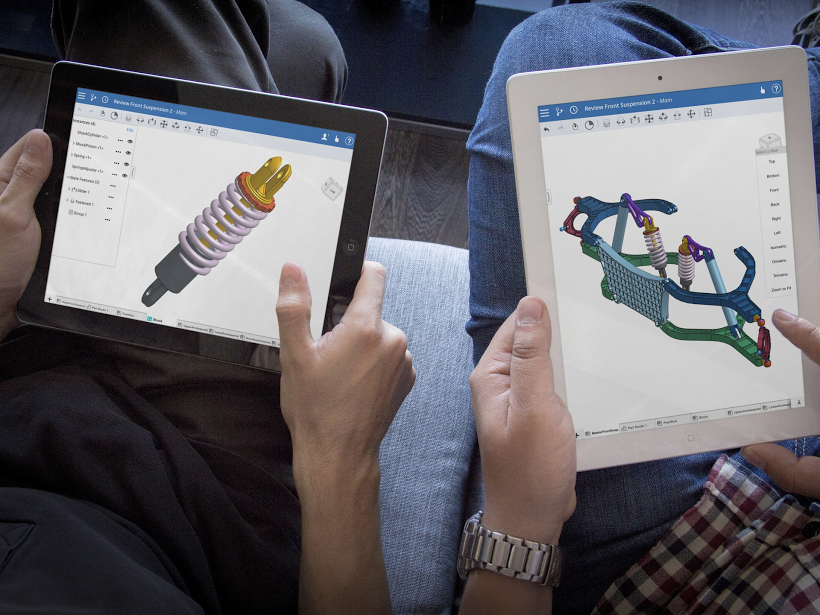
The only optional download is a mobile app for iOS and Android, which lets you view and interact with models on your phone or tablet. Even then, you can also use Onshape in a mobile browser — the app just gives a more polished experience.
| What you need to run Onshape A modern browser (Chrome recommended, Firefox or Edge also work well) • A stable internet connection • A free Onshape account • That’s it. No GPU, no special hardware, no licence dongle. |
Does It Work on Any Operating System?
Yes — and this is one of Onshape’s biggest advantages over traditional CAD software. Because it runs in a browser, it works on:
- Windows (any version with a modern browser)
- macOS
- Linux (including Ubuntu and other distros)
- Chromebook
- iPad and Android tablets (via the mobile app or browser)
This makes Onshape the only major professional-grade CAD platform that works natively on Linux and Chromebook without workarounds. SolidWorks and AutoCAD are Windows/Mac only. Fusion 360 has limited Mac support and no Linux version.
Where Are My Files Stored?
All Onshape files are stored in the cloud — on Onshape’s servers. There are no local files saved to your computer. This has a few important implications:
- You can access your designs from any device, anywhere
- You can’t accidentally lose a file by formatting your hard drive
- Collaboration is built in — you share a link rather than emailing files
- Every change is automatically saved and versioned
The trade-off: you need an internet connection to use Onshape. There is no offline mode. If your connection drops mid-session, you won’t lose work (it autosaves constantly), but you can’t continue until you’re back online.
Is Onshape Free?
Onshape has a free tier called the Free plan (previously called the Education plan), which gives you access to the full CAD feature set. The key limitation on the free plan is that all documents are publicly visible — anyone can find and view your work.
| Plan | Cost | Private documents | Best for |
| Free | £0 | No — all public | Hobbyists, students, learning |
| Standard | ~£1,500/year | Yes | Professional use |
| Enterprise | Custom | Yes | Large teams |
For beginners and hobbyists, the free plan is perfectly usable. The public document limitation is only a problem if you’re designing something commercially sensitive.
How Does It Compare to Desktop CAD?
Here’s a straight comparison of Onshape against the most common alternatives a beginner might consider:
| Onshape | Fusion 360 | FreeCAD | |
| Browser-based | Yes — fully | No — desktop app | No — desktop app |
| Free tier | Yes (public files) | Yes (limited) | Yes (open source) |
| Works on Linux | Yes | No | Yes |
| Works on Chromebook | Yes | No | No |
| Offline mode | No | Yes (limited) | Yes |
| Learning curve | Moderate | Moderate | Steep |
| Best for | Collaboration, flexibility | Integrated CAM/CAD | Full control, local files |
Is Onshape Good for Beginners?
Yes, with a few caveats. Onshape uses parametric modelling — the same underlying approach as SolidWorks and Fusion 360 — so it teaches you transferable skills. The interface is clean and there are good free tutorials built into the platform.
The learning curve is similar to other parametric CAD tools. The main beginner advantage is that you don’t spend the first hour installing software and troubleshooting licence errors — you’re designing within minutes of signing up.
| Tip for absolute beginners Onshape has a free Learning Centre at learn.onshape.com with structured courses. The ‘Introduction to Parametric Feature-Based CAD’ course is an excellent starting point and takes around 2 hours to complete. |
Frequently Asked Questions
Is Onshape browser-based parametric CAD?
Yes. Onshape is parametric CAD — meaning you define shapes through features and constraints that update dynamically — and it runs entirely in the browser. It’s one of the only parametric CAD platforms that is fully browser-based.
Does Onshape require installation?
No installation is required on desktop or laptop. Just visit onshape.com in a modern browser. An optional mobile app is available for iOS and Android but is not required.
Can I use Onshape without an internet connection?
No. Onshape requires an active internet connection. All processing and file storage happens in the cloud, so there is no offline mode.
Is Onshape browser-based on iPad?
Yes. You can use Onshape on iPad either through Safari or through the dedicated Onshape iOS app. The app gives a better touch experience for sketching and navigating 3D models.
Is Onshape better than Fusion 360 for beginners?
It depends on your goals. Onshape is easier to get started with (no installation) and works on more devices including Linux and Chromebook. Fusion 360 has a more integrated CAM (machining) workflow if you plan to move into CNC or 3D printing toolpaths.
Conclusion
Onshape is fully browser-based parametric CAD. No downloads, no installation, works on any operating system with a modern browser. The free plan gives you access to all features with the trade-off that your documents are publicly visible.
For beginners, it’s one of the lowest-friction ways to start learning proper parametric 3D modelling — you’re sketching your first part within minutes of signing up.
Ready to get started? Check out our step-by-step tutorial: Getting Started with Onshape — Your First Browser-Based 3D Model.
| Related posts on Kilobyte Workbench Getting Started with Onshape: Your First Browser-Based 3D Model | AutoCAD vs SolidWorks for Beginners: Which Should You Learn First? |